
It has been nearly four years since it launched the first iPhone, and more if we look at the iPod. Today we see that not everyone has the idea to personalize your device, and from our point of view we seem to have a little ugly or dull. Thus, from EsferaiPhone we give some ideas to "tune" your iPod app.

Putting images:
The most basic would be to put a background image associated with a song or an entire disk. We do it from iTunes by right clicking on the song and select Get Album Artwork. This option for electronic music or some group that is starting will not work, but will do so with mp3Tag (windows) and it will drag the song or album you want to program, then associate the image or cover sheet that you want and finally we keep, we passed the new file to iTunes (overwriting the original if we had in the playlist) and synchronized.
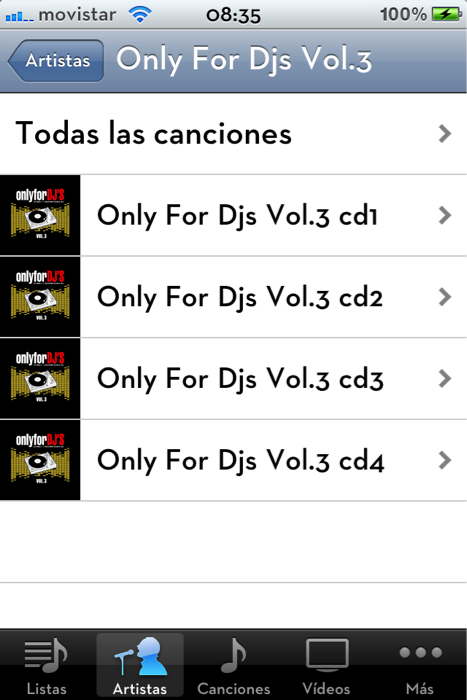
Split an Album CD's:
If you like listening to several CD's collections can also separate them from other artists and songs with mp3Tag. In this case, it would have to do is add in the album field "CD1" or "CDx" which we want and without quotes. It is also important to make the same information as both Artist Album Artist.
Add the lyrics to songs:
For this step we have 2 options: a manual with iTunes and the other by an app that will help us if we are in the street or without a PC at hand. The first option would be selecting our song, right click and select Get Info. Or go to the country Lyrics Lyrics and paste the text of the song. Press OK and synchronize.
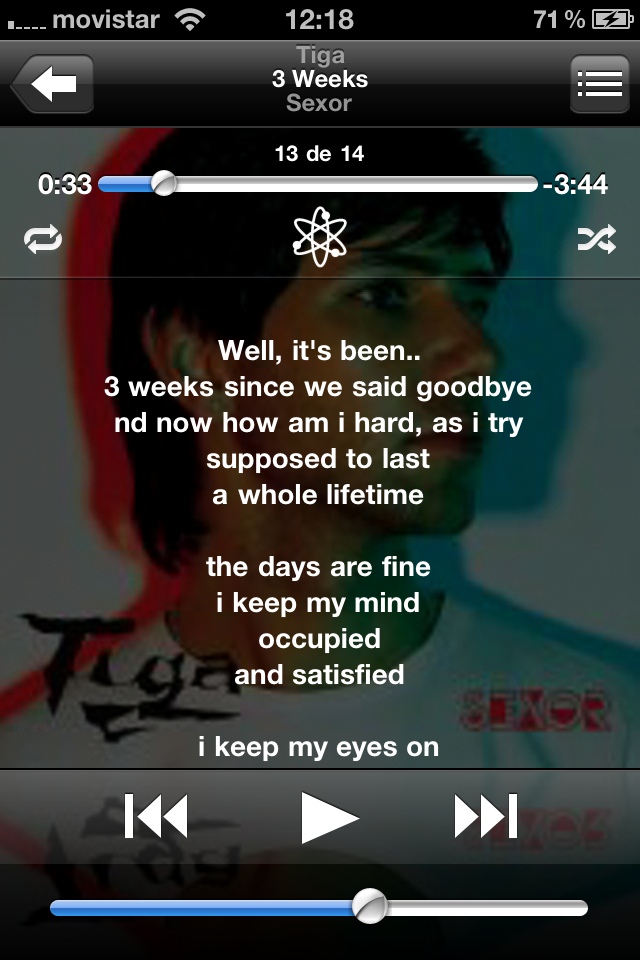
The second choice would be the app Instant Lyrics (available on the AppStore for 1'59 €) but the downside of this option is to take us to a website in Safari and from there singing our songs.

 1mqu2G8: qj6IDK7rITs ">


 Posts
Posts


No comments:
Post a Comment